Tags
Tags are a tool in the Customerscore.io application, designed to improve your work with customers. Tags are shared among all users in a company account, and you can find their settings in the Settings → Tags Management section.
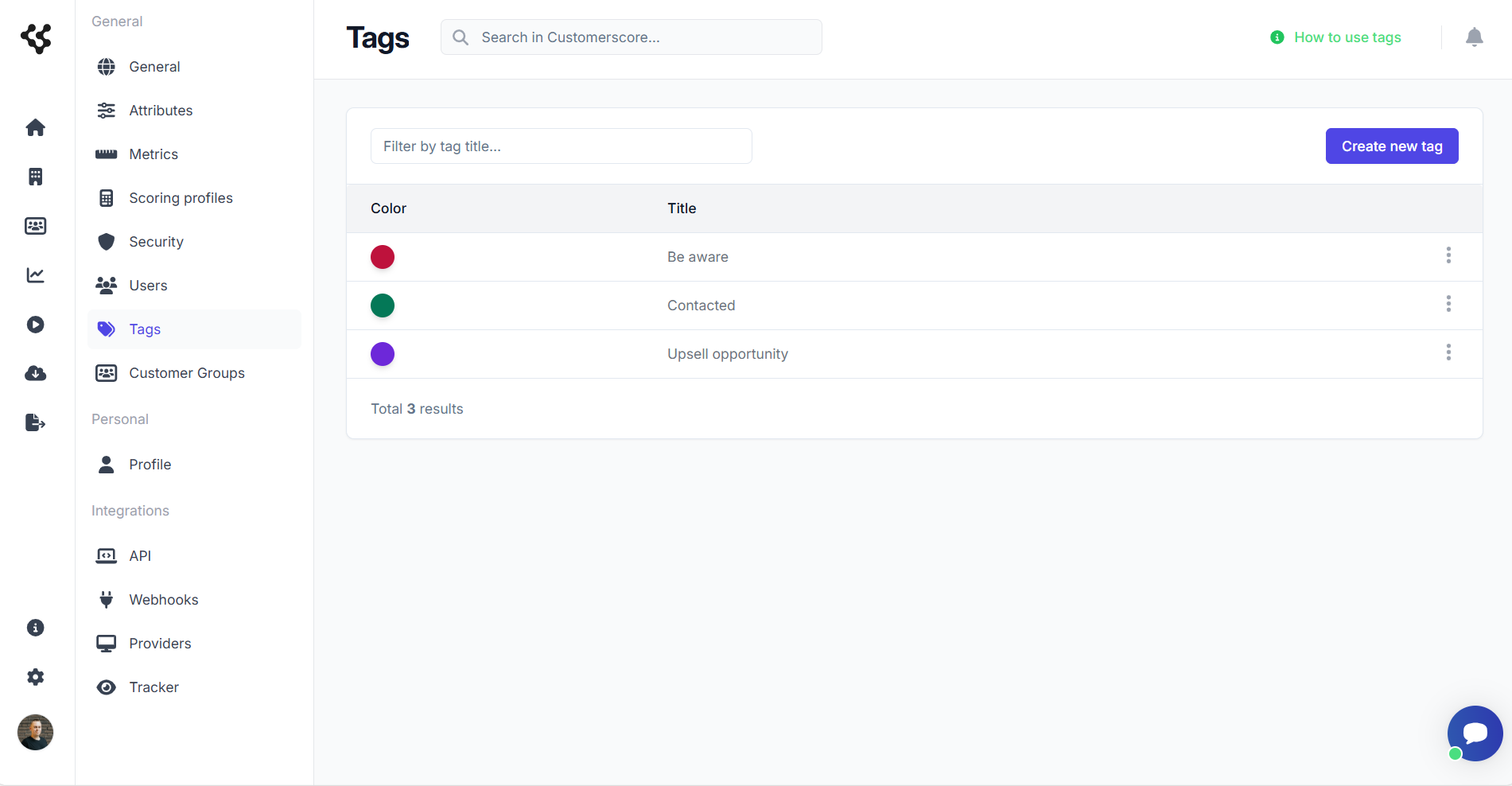
In the table, you can find all the available tags in your account. You can create, delete, or edit tags as needed. When creating tags, you only need to specify the color and title.
Working with Tags
Tags are used to label your customers who share certain parameters. When a customer is tagged, the tag will appear in the table of customers or on the customer detail page under the customer's name. Each customer can have an unlimited number of tags.
Tagging Customers
Tags can be added to customers in two ways.
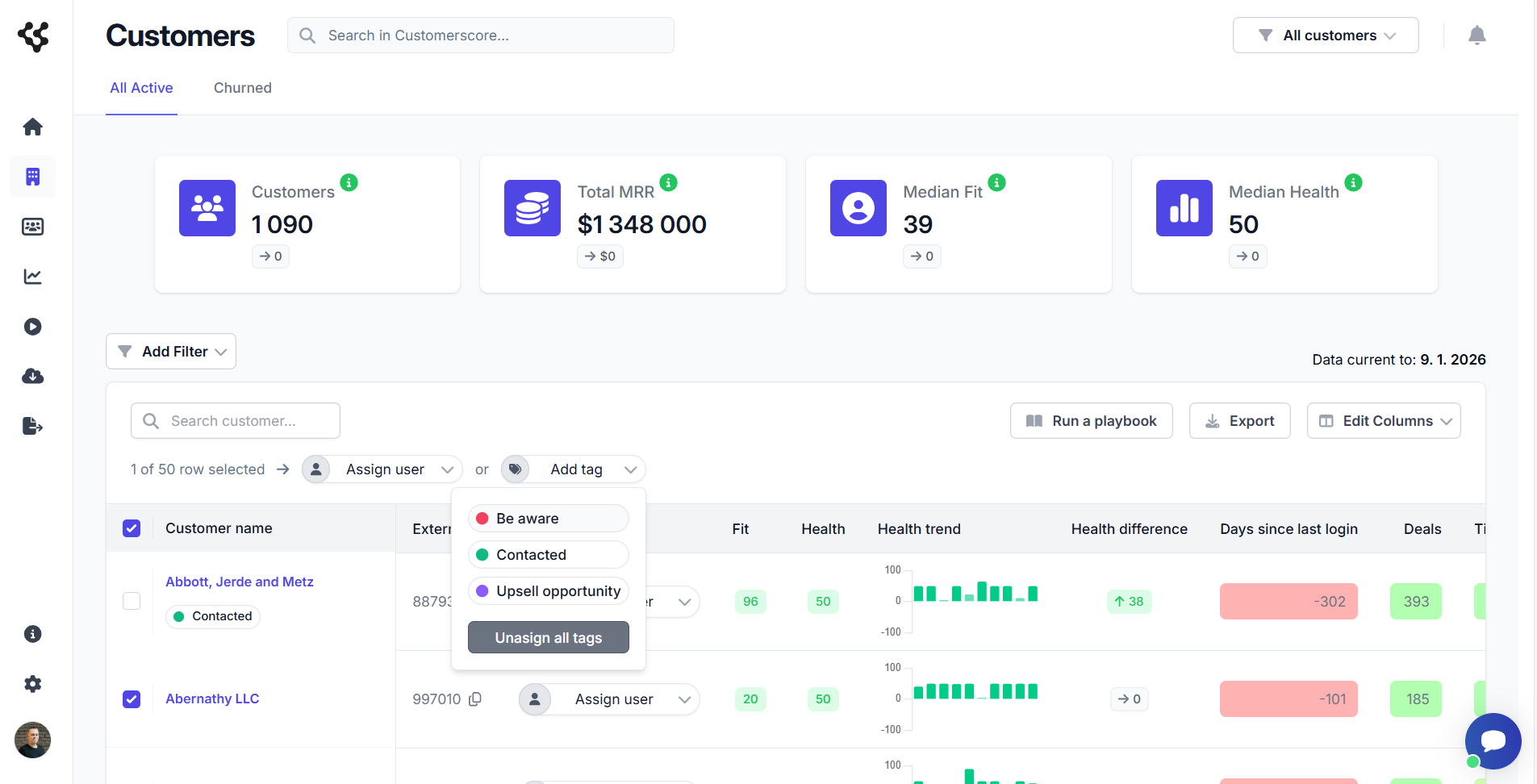
- The first method is bulk tagging by selecting customers in the table of customers and clicking the Add Tag button. Once a tag is selected, all chosen customers will receive that tag. Tags can also be removed by clicking Unassign all tags. Please note that this action will remove all tags from all selected customers.
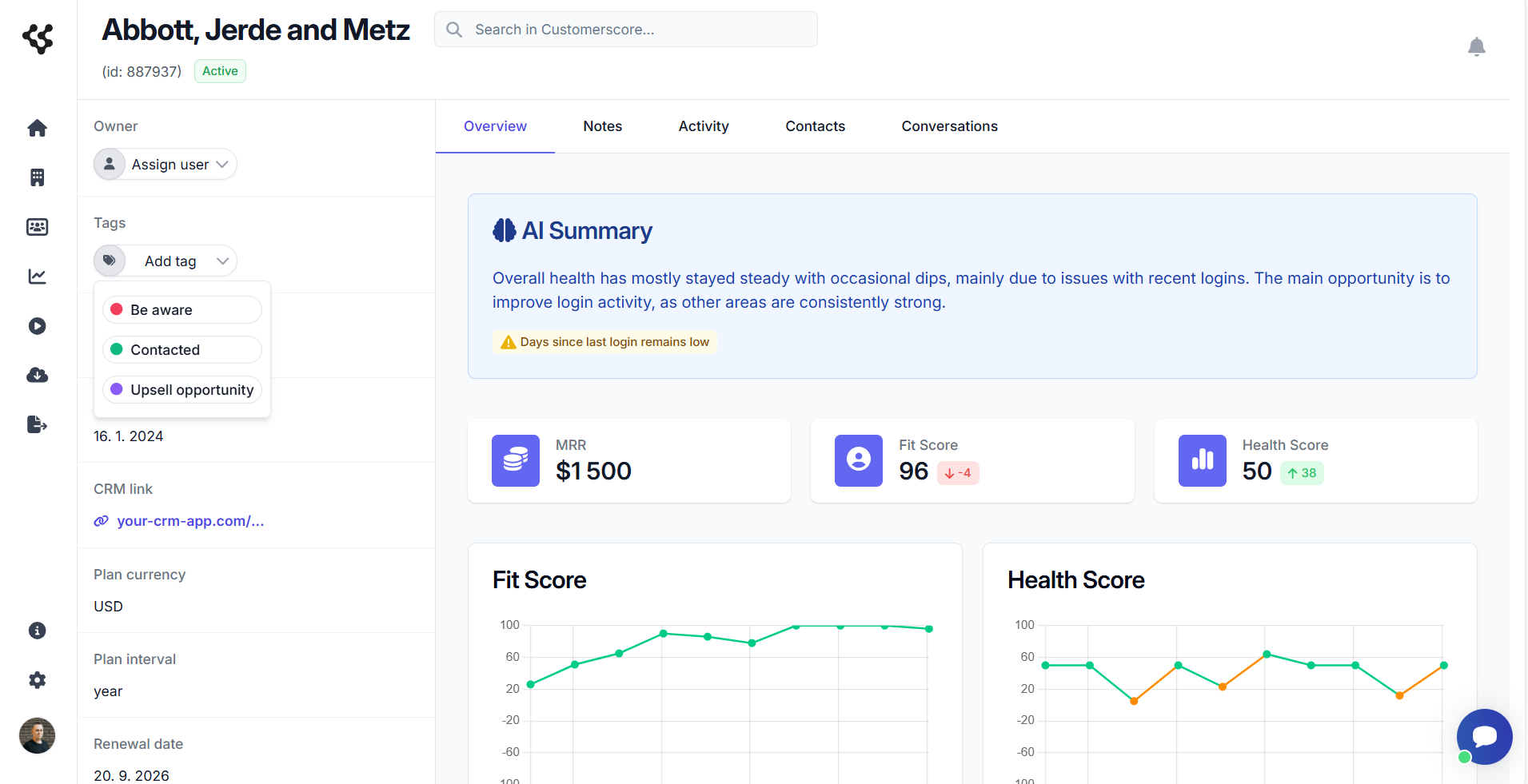
- The second method is managing tags in the customer detail view. You can add tags individually by clicking the Add Tag button. Tags can be removed separately by clicking the X icon next to the specific tag.
Filtering by Tags
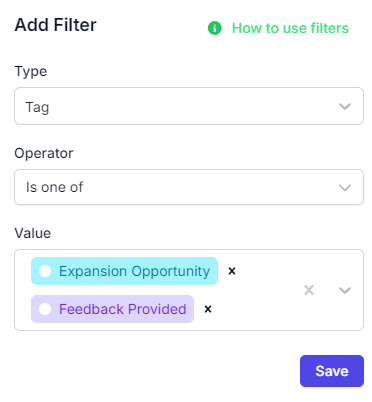
You can also filter your customers by tags. To create a filter, simply select Tag from the list, which is categorized under attributes. You can then choose whether customers should have or not have the tag. In the Value field, select the tags you want to filter by.