Intercom
Connect Intercom to Customerscore to sync customer conversations and engagement data.
How to Connect Intercom to Customerscore
Step 1: Prepare Intercom API Access
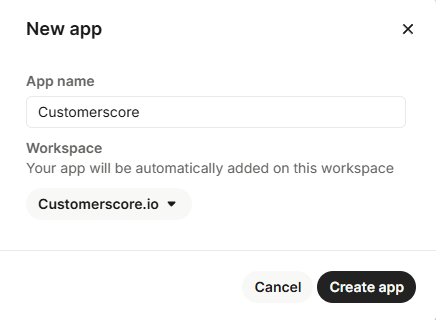
Log in to your Intercom Developer Hub account and click the New app button. Enter the app name Customerscore and select your workspace.
Step 2: Connect in Customerscore
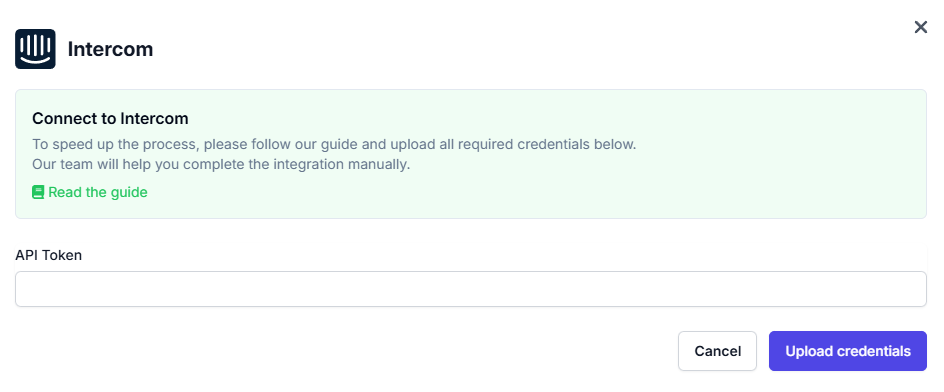
After creating the new app you will see your API token. Upload the API token into Customerscore under Settings → Providers (opens in a new tab) by clicking Connect to Intercom and filling out the form.
What Happens Next?
Once we receive all the required information, we'll begin integrating your Intercom account with the Customerscore app.